
 PC · Steam
Join directly from Steam
Open to everyone. No form, invitation, or access code required.
- 01
Right-click Easy Red 2
in your Steam library - 02
Open Properties
then select the Betas tab - 03
Choose public beta
Steam handles the update
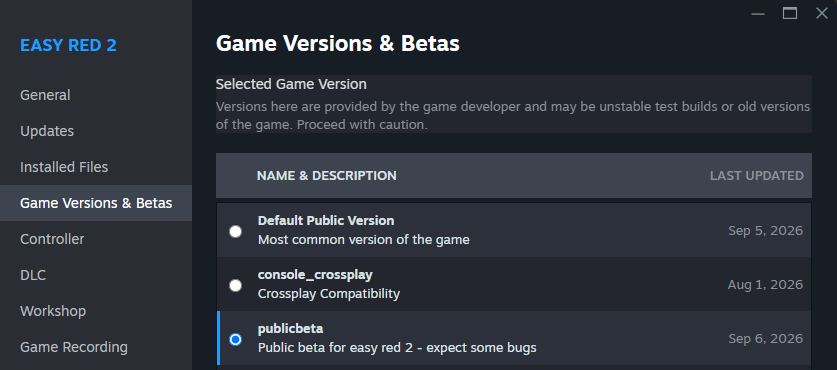
Get selected Easy Red 2 updates early, test what is coming next, and help us ship stronger public releases.
Steam access is immediate. Xbox access uses a manually updated device list and may take a few days.
PC · SteamOpen to everyone. No form, invitation, or access code required.
Right-click Easy Red 2
in your Steam library
Open Properties
then select the Betas tab
Choose public beta
Steam handles the update
 Xbox
XboxAlready own Easy Red 2? Add your console's network device ID to the beta queue.
 +
+
Public releases remain the only available branch on these platforms.
Before you deploy: beta builds are made for testing. They may be less stable, may not always be ahead of the public version, and access can change over time.
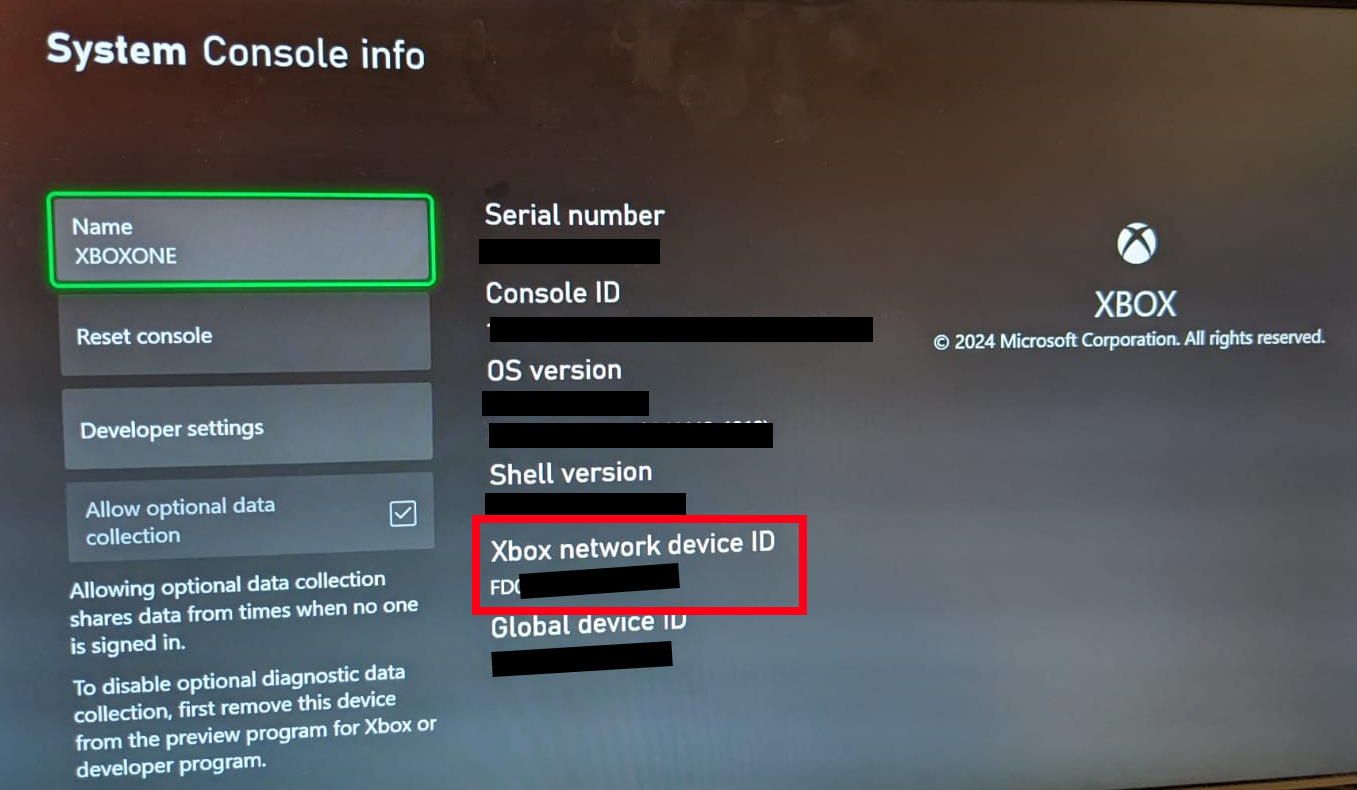
You need the Xbox network device ID, not the serial number or console ID.
Press the Xbox button and follow this path:
Look specifically for “Xbox network device ID”.
Use the panel to join, check, or leave the beta.
Enter the 16-character network device ID to check this console's status.
Allow a few daysRequests are saved immediately. Xbox access is updated manually in batches.
Your device ID is used only to manage Xbox beta access and is retained until it is removed or the program ends. Anyone who knows the complete device ID can manage its registration. Please report important issues encountered in beta builds.